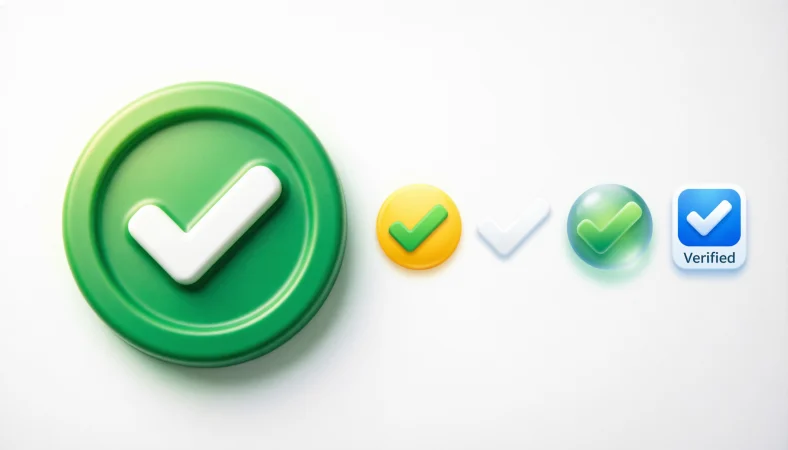
The ✅ Check Mark Button usually means verified, confirmed, correct, approved, or completed. It can also show agreement or that a task has been finished. Although people often associate it with social media verification, it is not the official blue verification badge used by platforms such as X, Instagram, or Facebook.
✔️ One tiny symbol can instantly make a message feel more trustworthy. The verified emoji is often used to signal authenticity, approval, confirmation, or that something has been officially checked.
The verified emoji is a simple visual symbol that can communicate confirmation, authenticity, or approval without adding extra words. Depending on the platform and context, people may use a check mark or verification-style emoji to show that something is correct, confirmed, completed, or trustworthy. It can appear in social media captions, profiles, comments, messages, and online conversations.
However, an emoji itself does not necessarily mean that an account is officially verified. Its meaning depends on the platform and how it is being used. In this guide, you’ll learn what the verified emoji means, when to use it, what different check-mark emojis can communicate, and how its meaning can change across social media and everyday texting.
What Does the Verified Emoji Mean?
The emoji ✅ is officially called Check Mark Button. It was added to Unicode as White Heavy Check Mark and is commonly displayed as a white check mark inside a green square or rounded shape.
In everyday messaging, it often means:
- Something has been verified or checked.
- A task is complete.
- Information is correct.
- Someone agrees with a statement.
- An item has been approved.
Unlike a social media verification badge, the emoji itself does not automatically mean an account is officially verified.
When People Use the ✅ Emoji
Here are some common situations where you’ll see it:
Task completed
“Report submitted. ✅”
Confirmation
“Your reservation is confirmed. ✅”
Agreement
“That plan works for me. ✅”
Checklist
“Passport ✅ Tickets ✅ Hotel ✅”
In each case, the emoji reinforces a sense of completion or confirmation rather than adding emotion.
How to Use the Verified Emoji on Social Media ✔️
The verified emoji can be used on social media to communicate confirmation, authenticity, approval, or completion. You can add it to captions, comments, bios, posts, and replies when you want to emphasize that something is real, correct, or approved.
Common ways to use it
- To confirm something: “Yes, this is the one ✔️”
- To show approval: “Absolutely! ✔️”
- To highlight a verified fact: “Official announcement ✔️”
- To mark something as completed: “Task completed ✔️”
- In a social media caption: “Weekend plans: officially confirmed ✔️”
- In comments: “This look is perfect ✔️”
- For recommendations: “Definitely worth trying ✔️”
- For agreement: “100% agree ✔️”
Important distinction
Using a check-mark or verified-style emoji does not give an account an official verification badge. On platforms such as Instagram, Facebook, TikTok, and X, official verification is a platform feature and is separate from simply typing an emoji.
Example social media captions
“New chapter, new goals ✔️✨”
“Plans are officially confirmed ✔️”
“Another milestone achieved ✔️🎉”
“Verified by experience, not just words ✔️”
“Everything is ready for launch ✔️🚀”
Is the Verified Emoji the Same as the Blue Check Badge?
No.
Many people search for “verified emoji” because they’re thinking about the blue checkmark shown on social media profiles. However:
- ✅ is an official Unicode emoji that anyone can type.
- Blue verification badges are platform features, not standard emojis.
- A copied blue badge image or custom server emoji is not the same as an official verification status.
Similar Check Mark Emojis
| Emoji | Official Name | Common Meaning | Tone | Where or When It Is Used |
| ✅ | Check Mark Button | Verified, approved, completed | Positive, confident | Confirmations, completed tasks, approvals |
| ✔️ | Check Mark | Correct or done | Neutral | Inline text, lists, confirmations |
| ☑️ | Ballot Box with Check | Selected option or checked box | Practical | Forms, surveys, checklists |
| ❎ | Cross Mark Button | Incorrect option or cancellation | Neutral | Marking the wrong answer or an unchecked choice |
| ❌ | Cross Mark | No, incorrect, rejected | Direct | Corrections, refusals, errors |
| 🟢 | Green Circle | Go, active, available | Neutral | Status indicators or visual markers |
| 👍 | Thumbs Up | Approval or agreement | Friendly | Casual conversations and quick replies |
Key Differences
The biggest confusion is between ✅, ✔️, and ☑️.
- ✅ feels like an official confirmation or successful completion.
- ✔️ is a simple check mark that often appears within sentences or lists.
- ☑️ looks like a checked checkbox and is best for forms, surveys, or to-do lists.
Although all three can suggest something is correct, their visual style gives them slightly different uses.
Message Examples
Example 1
Message:
“Payment received. ✅”
Likely meaning:
The payment has been confirmed.
Why context matters:
The emoji emphasizes successful completion rather than excitement.
Example 2
Message:
“Everything looks good. ✅”
Likely meaning:
The sender agrees that everything is correct.
Why context matters:
It works as a visual confirmation.
Example 3
Message:
“Packing list: Passport ✅ Charger ✅ Wallet ✅”
Likely meaning:
Each item has already been checked.
Why context matters:
Here, the emoji functions like a checklist marker.
Can the Verified Emoji Be Misunderstood?
Sometimes.
People may assume a check mark means:
- Official approval
- Government verification
- A verified social media account
In reality, the sender may simply be saying “done” or “looks good.”
It’s usually best not to read extra meaning into the emoji unless the surrounding conversation clearly supports it.
How to Respond to the ✅ Emoji
Your reply depends on the conversation.
If someone confirms something:
- “Great, thanks!”
- “Perfect.”
- “Got it.”
someone marks a task complete:
- “Nice work!”
- “Thanks for taking care of it.”
- “Appreciate it.”
If it’s part of a checklist:
- “Everything’s ready.”
- “Looks like we’re all set.”
Copy and Paste
You can copy the verified emoji here:
✅
Official Unicode name: Check Mark Button (White Heavy Check Mark).
Frequently Asked Questions
Is there an official “verified” emoji?
No. Unicode does not include an emoji officially named “Verified.” People commonly use ✅ to represent verification or confirmation.
What is the difference between ✅ and ✔️?
Both indicate something is correct or complete, but ✅ appears as a check mark inside a colored button, while ✔️ is a standalone check mark that often looks simpler.
Does ✅ mean an account is verified?
No. Sending or displaying the emoji does not indicate an official verified account. Social media verification badges are separate platform features.
Can I use the verified emoji in professional messages?
Yes. It works well for confirming completed work, approvals, checklists, and status updates.
Conclusion
The emoji ✅ is best understood as a symbol of confirmation, correctness, approval, or completion. While many people casually call it the “verified emoji,” it is different from the blue verification badges used by social media platforms. Paying attention to the surrounding message will help you understand whether it means “done,” “approved,” or simply “looks good.”

Michael Anderson is a content writer at EmojissLife.com, where he creates fun, relatable, and easy-to-read emoji guides, meanings and creative ideas. He enjoys turning everyday conversations into expressive content that helps readers find the perfect emojis for every mood and moment.