Quick Answer:
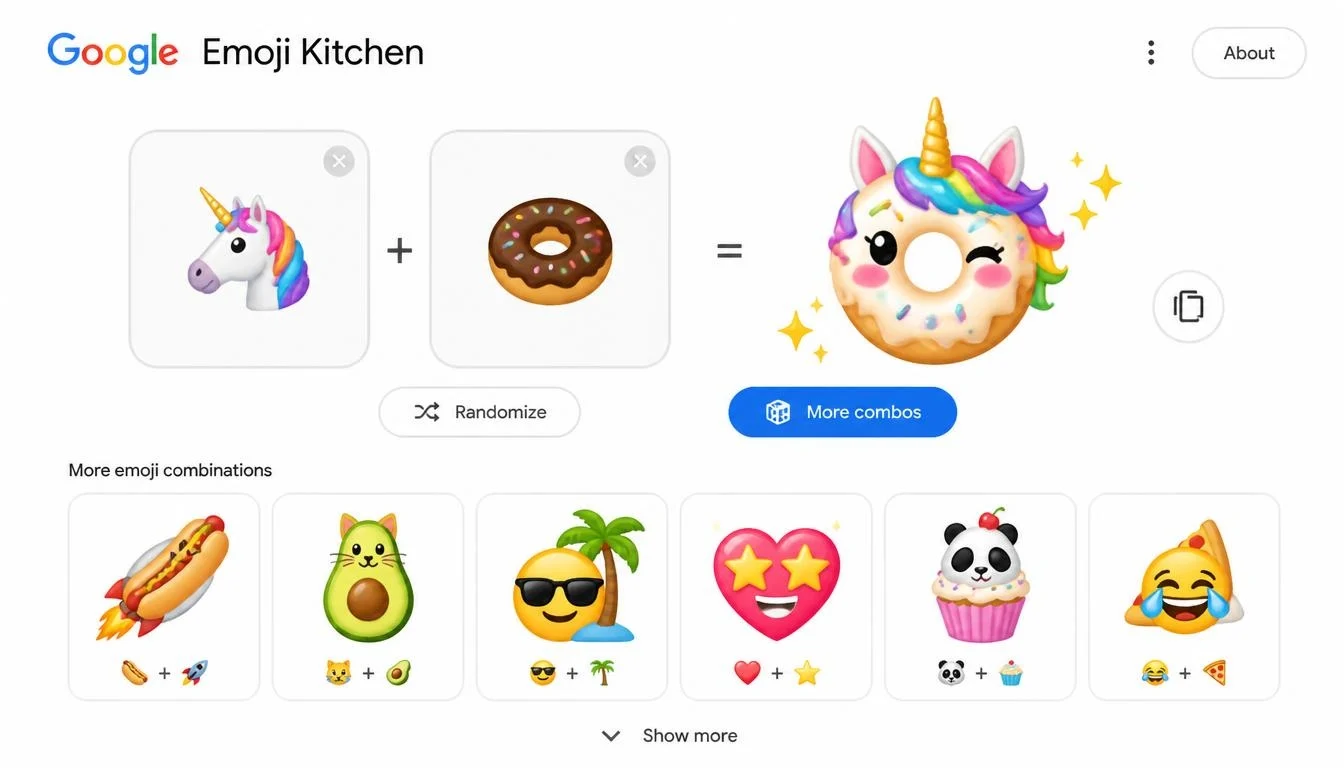
Google Emoji Kitchen is a Gboard feature that combines compatible emojis into custom sticker designs. You select an emoji and choose another compatible emoji to see creative combinations. You can then share the resulting sticker in supported apps.
Emoji Kitchen Google is a fun and creative way to combine two different emojis and turn them into a unique design. Whether you love cute faces, funny expressions, animals, hearts, or unusual emoji combinations, this feature lets you experiment with different designs and discover something new. Instead of using ordinary emojis, you can mix your favorite symbols to create playful combinations that make everyday conversations more expressive and entertaining.
Google Emoji Kitchen makes chatting more exciting by giving users fresh ways to express their feelings, reactions, and ideas. You can explore different combinations through Google supported emoji experiences, including Gboard on compatible devices. From combining a smiling face with a heart to mixing animals with unexpected expressions, there are plenty of creative possibilities to enjoy. Whether you want to surprise your friends, personalize your messages, or simply have fun experimenting, Emoji Kitchen offers an enjoyable way to bring emojis together.
How Does Google Emoji Kitchen Work?
Emoji Kitchen uses Google’s custom emoji artwork to create combinations from two selected emojis. Each result is a designed sticker rather than a newly registered Unicode character.
For example, you might combine:
- 😂 + ❤️ = A laughing face with a love theme.
- 👻 + 🎃 = A playful Halloween-themed ghost.
- 😎 + 🎸 = A cool music-inspired character.
- 🐱 + ❤️ = A cute cat with an affectionate theme.
- 🔥 + 💀 = A dramatic, fiery skull design.
These are illustrative combination ideas; the exact artwork depends on the available designs.
Google reported that Emoji Kitchen had more than 100,000 possible drawings by July 2024.
How to Use Google Emoji Kitchen Online
You don’t need to install a separate emoji-making application to try Google’s Search version.
Follow these steps:
- Open Google Search in your browser.
- Type Emoji Kitchen in the search box.
- Find the Emoji Kitchen interactive feature.
- Click Get cooking.
- Open the Combine section.
- Select your first emoji.
- Choose a second emoji.
- Preview the generated combination.
- Use the available copy or sharing option to use your creation.
Google also provides an Explore option, which helps you browse combinations starting with a single emoji.
How to Use Emoji Kitchen on Gboard
Android users can also access Emoji Kitchen through Google’s Gboard keyboard.
Here’s how:
- Install or update Gboard through the Google Play Store.
- Set Gboard as your phone’s keyboard.
- Open a messaging application.
- Tap the emoji icon on your keyboard.
- Select an emoji.
- Look for the suggested Emoji Kitchen stickers.
- Choose a combination you like.
- Tap the sticker to insert it into your conversation.
Not every emoji pair produces a result. Available combinations depend on Google’s supported artwork. The stickers may also appear differently depending on the application you’re using.
Google Emoji Kitchen on iPhone, iPad, and Computer
You can use Google’s Search-based Emoji Kitchen without relying on the Android keyboard.
| Device | How to access it |
|---|---|
| Android | Google Search or Gboard |
| iPhone | Google Search in Safari or Chrome |
| iPad | Google Search in a browser |
| Windows PC | Google Search in a browser |
| Mac | Google Search in a browser |
| Chromebook | Google Search in a browser |
On an iPhone, you can open Google Search, type Emoji Kitchen, select Get cooking, and create a combination. You do not need to install Android Gboard to use the browser-based version.
The native Emoji Kitchen keyboard experience is associated with Gboard on Android, while Google Search provides a separate way to create combinations across devices.
Best Google Emoji Kitchen Combinations to Try
Some combinations are especially useful for expressing emotions, humor, affection, and reactions.
| Emoji Combination | Creative Idea | Suggested Use |
|---|---|---|
| 😂 + 😭 | Laughing through tears | Funny conversations |
| 😍 + ❤️ | Extra affection | Sweet messages |
| 👻 + 🎃 | Halloween character | Halloween greetings |
| 🐱 + 😍 | Adorable cat expression | Cute reactions |
| 😎 + 🔥 | Cool and confident | Celebrating something |
| 💀 + 😂 | Hilarious reaction | Jokes and memes |
| 🥹 + ❤️ | Emotional affection | Heartfelt messages |
| 🤖 + 👽 | Space-inspired character | Sci-fi jokes |
These combinations are creative suggestions, not guaranteed exact sticker designs.
What Is the Difference Between Google Emoji Kitchen and Regular Emojis?
Regular emojis are standardized characters that can be included directly in text. Emoji Kitchen creations are custom illustrated stickers that combine Google’s emoji designs.
Here are some important differences:
| Feature | Regular Emojis | Emoji Kitchen |
|---|---|---|
| Appearance | Standard emoji character | Custom sticker artwork |
| Creation | Selected from an emoji keyboard | Made from compatible emoji pairs |
| Text compatibility | Usually works as text | Shared as an image or sticker |
| Customization | Limited to available characters | Combines existing designs |
| Sharing | Sent as text | Depends on image or sticker support |
| Availability | Supported across many platforms | Google Search and supported Gboard experiences |
The biggest difference is that an Emoji Kitchen creation does not become a new official Unicode emoji. It remains a sticker or image.
Emoji Kitchen Compared With Similar Emoji Features
Several emoji-related tools offer creative ways to express yourself, but they do not all work the same way.
| Emoji or Feature | Official Name | Common Purpose | Tone | When to Use |
|---|---|---|---|---|
| 😀 | Grinning Face | Express happiness | Friendly | Happy messages |
| 😂 | Face with Tears of Joy | Show laughter | Playful | Funny conversations |
| 😍 | Smiling Face with Heart-Eyes | Express admiration | Affectionate | Compliments |
| 🥹 | Face Holding Back Tears | Show emotion | Sentimental | Heartfelt messages |
| 🤖 | Robot | Represent technology | Playful | Tech-related jokes |
| 👻 | Ghost | Represent spooky fun | Funny | Halloween messages |
These emojis can serve as ingredients in creative combinations, while Emoji Kitchen turns compatible selections into illustrated stickers.
Why Is Google Emoji Kitchen Not Working?
Sometimes Emoji Kitchen does not display combinations or fails to copy a sticker. A few simple checks can help.
1. No combinations appear
Not every emoji is supported. Try selecting another emoji pair.
2. Gboard does not show Emoji Kitchen
Update Gboard and check its emoji and sticker settings.
3. Stickers are not sending
The messaging application may not support the sticker format. Try another compatible messaging app.
5. Copying does not work
Check your browser permissions and try the available sharing option. Remember that the result is an image rather than ordinary text.
FAQs
1. Is Google Emoji Kitchen free?
Yes. Google’s Emoji Kitchen feature is available without a separate paid subscription.
2. Can I combine any two emojis?
No. Google provides combinations for supported emoji designs. Some pairs will not produce a sticker.
3. Can I use Emoji Kitchen without downloading an app?
Yes. You can access the Google Search version through a web browser without installing Gboard.
4. Does Emoji Kitchen work on iPhone?
Yes. iPhone users can access the browser-based version through Google Search. The native Gboard Emoji Kitchen experience is primarily an Android feature.
5. Can I copy and paste Emoji Kitchen stickers?
Yes. Google Search provides a copying option for generated designs. You can paste the result into applications that support images.
6. Does Emoji Kitchen create official Unicode emojis?
No. Its combinations are custom sticker illustrations, not newly registered Unicode emoji characters.
7. How many combinations does Google Emoji Kitchen have?
Google reported more than 100,000 possible drawings in July 2024. The available combinations depend on Google’s supported designs.
8. Can I make my own Emoji Kitchen designs?
You can choose from Google’s available combinations, but you cannot freely draw and design completely new official Emoji Kitchen artwork using the standard feature.
9. Can I use Emoji Kitchen on WhatsApp?
Yes, compatible Emoji Kitchen stickers can be shared in WhatsApp conversations. They appear as sticker images rather than ordinary text emojis.
10. Is Emoji Kitchen available on a computer?
Yes. You can use the Google Search version in a desktop browser without needing an Android phone.
Conclusion
Google Emoji Kitchen makes everyday conversations more creative by combining familiar emojis into expressive stickers. You can experiment with different combinations, explore funny designs, and share your favorites with friends. Whether you’re using Gboard on Android or Google Search on another device, it’s an easy way to add personality to your messages.
Read More Articles
- Joy Emoji | Meaning in Messages, Social Media and Online Chats In 2026
- Laughing Emoji Meme | Funniest Images to Express Laughter and Humor In 2026

Michael Anderson is a content writer at EmojissLife.com, where he creates fun, relatable, and easy-to-read emoji guides, meanings and creative ideas. He enjoys turning everyday conversations into expressive content that helps readers find the perfect emojis for every mood and moment.